Polar Vortex

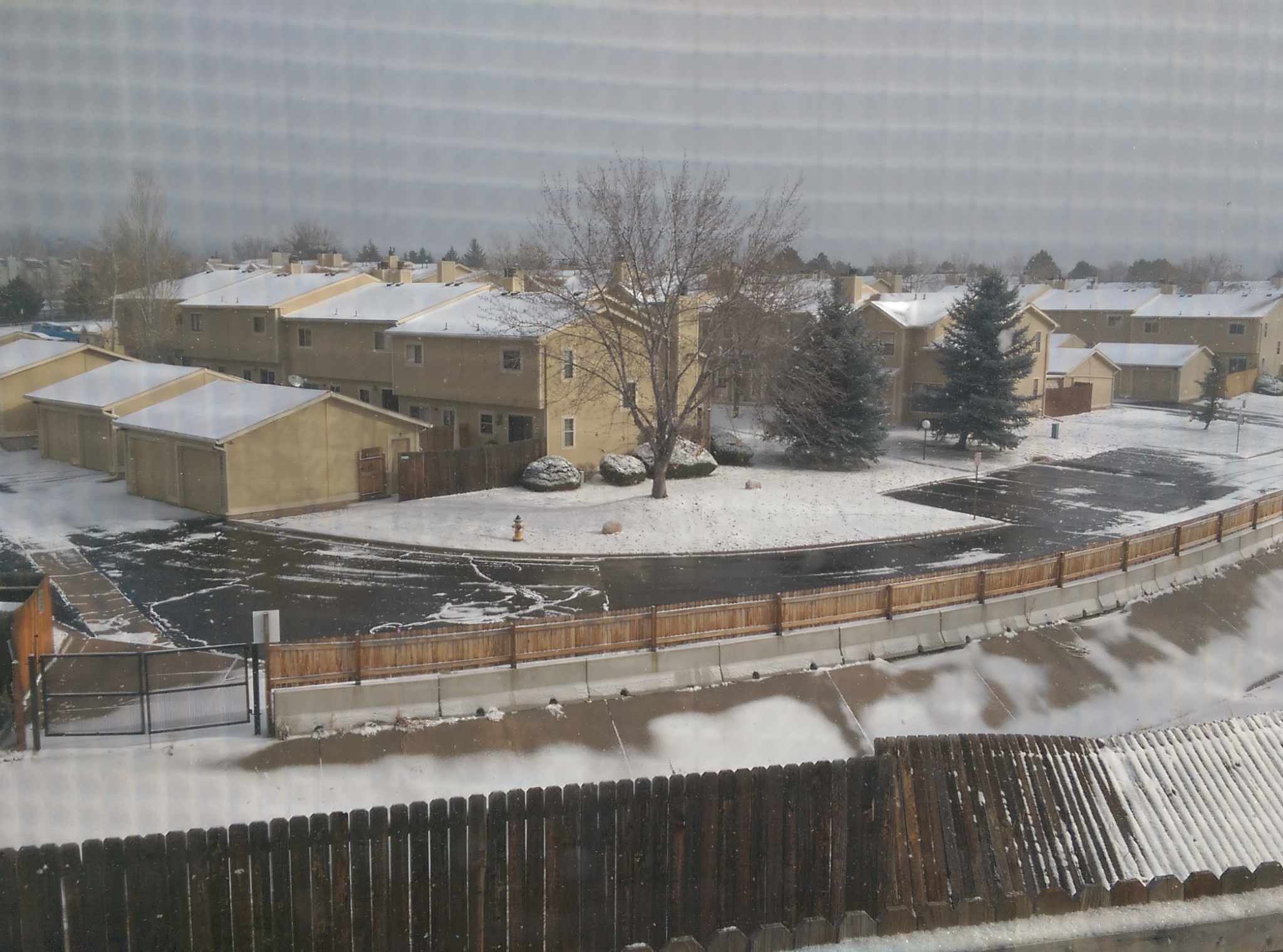
Monday morning when I left my house it was in the upper 60s (I probably left home around 9:45) and I considered not wearing a coat (totally didn’t check the weather). When I left work I was rather glad to have a coat because it was in the teens and snowing. Because it had been warm earlier in the day the roads were icy with snow that had melted and refrozen. I saw a snow plow on my way home, but I think it was just spreading grit because the snow wasn’t building up and still hasn’t really accumulated tonight (Thursday).
Snowscape

Monday night may have been the warmest temperature I’ve been out in since temperatures dropped. Tonight when I left work my car had a hard time starting (even with a battery that was new last spring), so when I got home I wasn’t surprised to see that the temperature was negative.

Filament Drying

The bin I designed to keep my filament dry worked fine until mid-summer when I switched filaments (which involves taking the lid off the bin) multiple times on a humid/rainy day when I had the windows open. I’m guessing that overwhelmed the silica gel cannister, and ever since that day I’ve had trouble printing with ABS.

I knew nylon was sensitive to moisture, especially after the first time I left the nylon hooked to the printer for a while and got steam out of the nozzle for the first layer or two of the print when I used it next. I didn’t realize ABS would have similar issues until today when I once again tried to print ABS and had issues. When I paused the print it kept oozing filament (similar to but not nearly as extreme as nylon did) and when I listened closely I could hear the faint sizzling of water vaporizing. I looked it up and sure enough, ABS, nylon, and even PLA are listed as having issues with moisture, and it was a relatively wet summer here (bigger issue is that I just opened the windows for the breeze rather than turn on the AC).

A quick Google search revealed that one way to dry filament is to stick it in the oven for a while hot enough to vaporize water. Google also told me that ABS softens at around 100 C and PLA softens at more like 60 C, so I’m not drying my PLA and 100 C is about the hottest I should put ABS in for. That all sounded great so I stuck my two spools of ABS (and the nylon) in the oven to dry, along with the silica gel canister to reset it’s moisture absorbing capabilities.

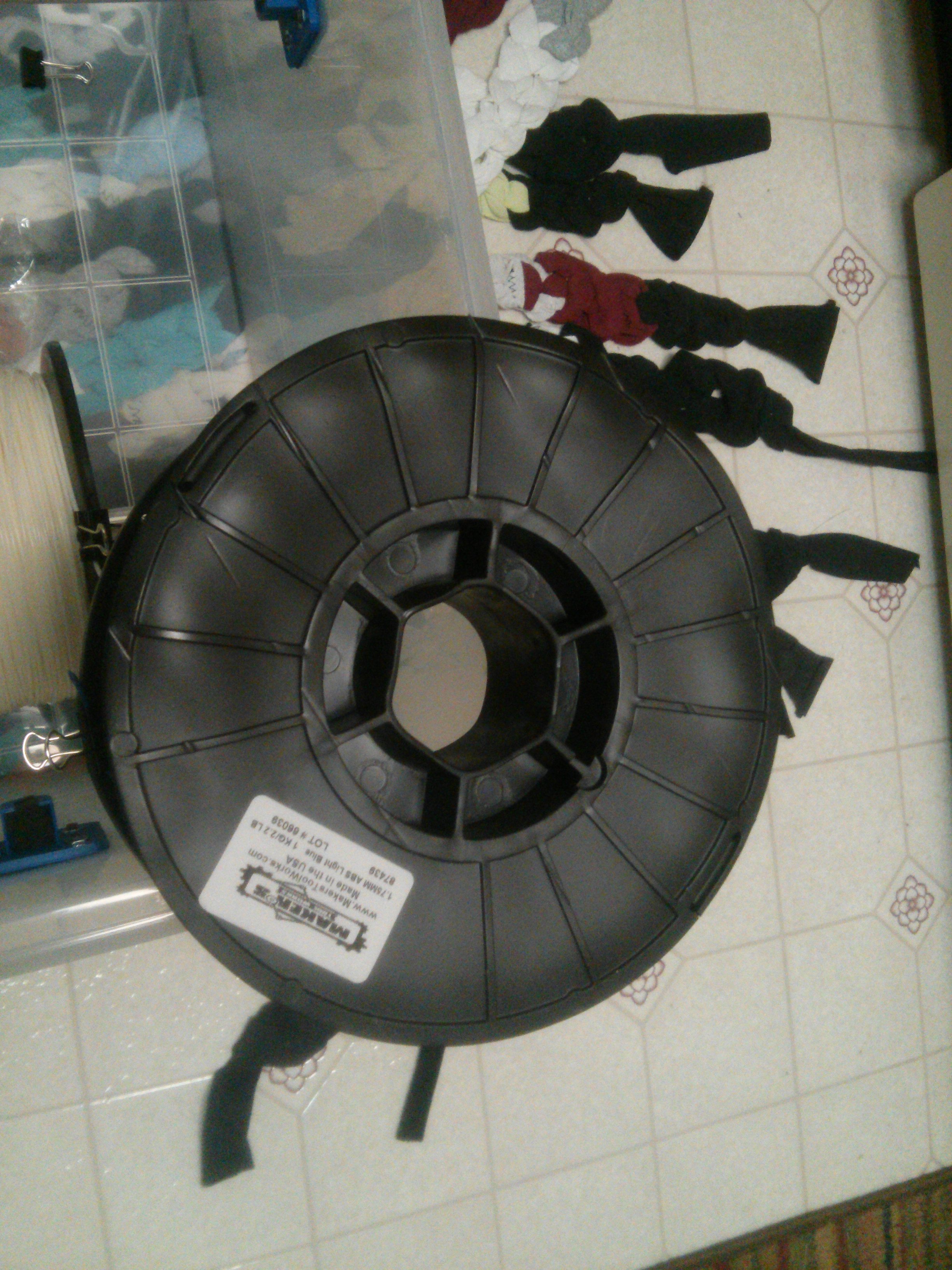
Issue: the spools are black, so they absorb heat quickly, and they couldn’t take the heat:
Melted Spool

Fifteen minutes later when I checked on it none of the filament had softened (I’ve heard tales of people fusing an entire spool of filament together, which makes it unusable for printing), but all three spools had softened and the largest was melted to the oven rack. I dropped the temperature a bit but left it all to heat for another hour or two.

After all that, there was no difference whatsoever in terms of bed adhesion. I spent the better part of the afternoon working on it and I’m not entirely sure what made the difference: the last round of changes included changing my z-offset, windexing the glass build plate (having previously just been scraping it clean with a glass scraper), and mixing up and applied cold a new batch of abs juice using fresh filament instead of failed print bits.

Finally, after several months of not getting good results from ABS:
Keychains

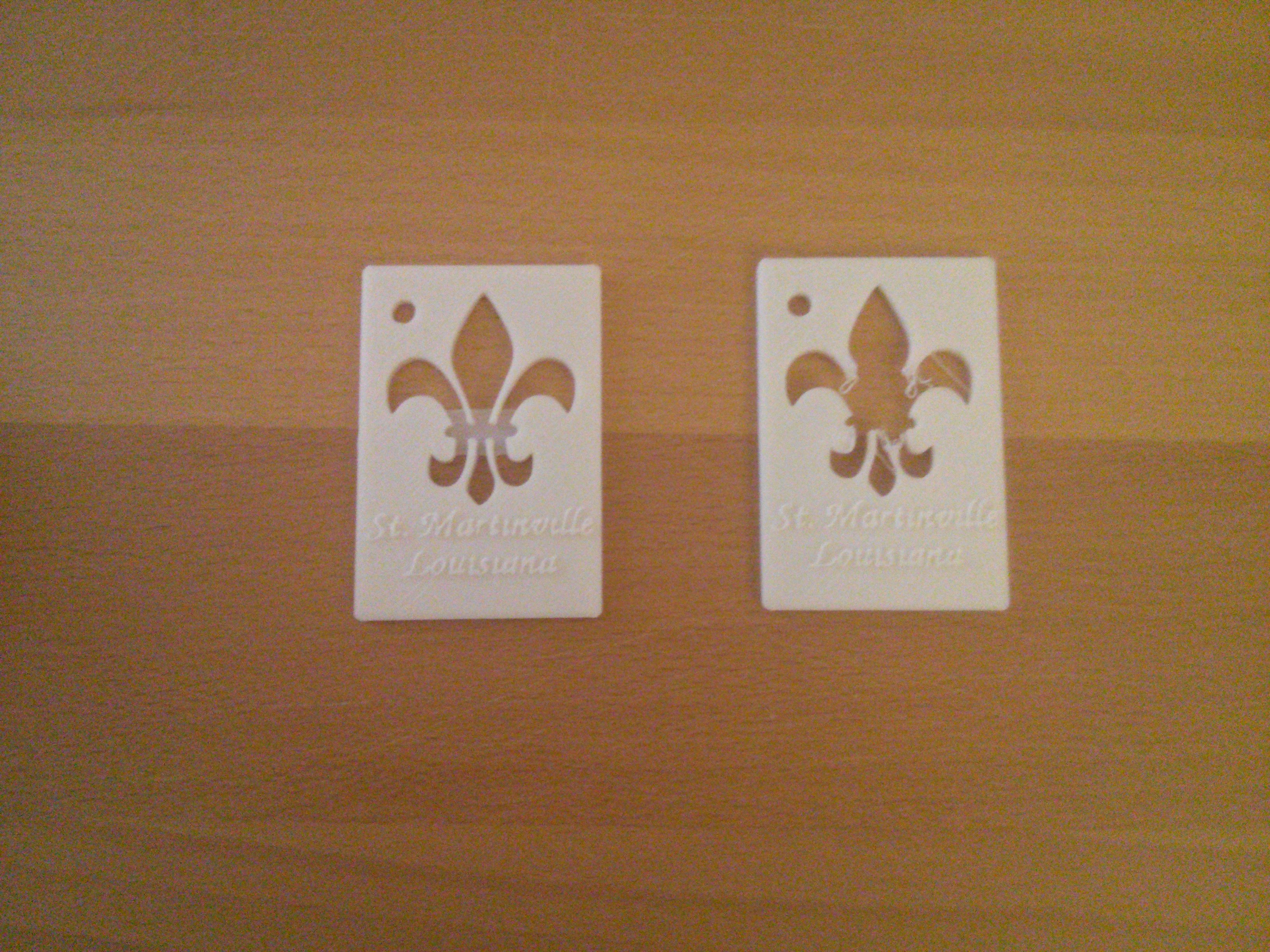
The first try (right) I should have stopped when it became clear that the first layer adhesion wasn’t good enough, but I was so happy to get even that much that I let it go so I could see how the letters came out. The second one included a slightly modified design: there’s a one layer thick block to anchor all the parts that tried to curl.

Reliving the 90s through Video Games

A few days ago 3D Realms (used to be Apogee Software) released a bundle of most of their old DOS games in a form that runs on modern Windows. I grew up playing the shareware versions of Commander Keen, Monster Bash, and a couple others they made so I bought the anthology figuring it would be fun to actually beat them finally, even though they’re only advertising Linux-compatibility sometime in the future.

The first thing I discovered when I launched one of the games was that Windows 7 compatibility is based on running the games through DOSBox. That’s not surprising and I’ve actually resurrected old shareware through DOSBox before, but it made me realize how easy it would be to set up the emulator to run on Linux myself. I probably spent more time Friday night cleaning up their installed files (the DOSBox runtime was included in every single game directory) and rewriting the config files and launch scripts to run on Linux than I did actually playing games.

First item of note: Dosbox can be extracted to be in just the root directory of the games anthology to save a couple hundred megabytes of disk space. Instead of:
Anthology
    Commander Keen - Galaxy
        Dosbox
    Commander Keen - Vorticons
        Dosbox
    ...

flatten the structure to:
Anthology
    Dosbox
    Commander Keen - Galaxy
    Commander Keen - Vorticons
    ...

For that move to work two things need to be updated: the .conf files used to initialize DOSBox and the .bat launch scripts.

Old launch script:
@echo off
cd "Commander Keen - Vorticons\dosbox"
start dosbox -conf "..\KEEN VORTICONS.conf" -noconsole -c
exit

That won’t work now because that’s not where DOSBox is, and changing into the directory of DOSBox doesn’t make sense if the installation isn’t associated with a specific game. My rewritten script is:
@echo off
start Dosbox\dosbox -conf "Commander Keen - Vorticons\KEEN VORTICONS.conf" -noconsole -c
exit

I called the dosbox executable directly by relative path instead of going to its directory, then I updated the relative path to the .conf file.

The .conf file is rather large, so I’ll only include the portion I changed (which was near the bottom). Old:
[autoexec]
# Lines in this section will be run at startup.
# You can put your MOUNT lines here.

@echo off
Mount C ".."
C:
cls
...

This is code that executes after DOSBox is launched. In this case it’s setting the C:\ drive to be “..” then running a menu for launching the different chapters of the game. The “..” path won’t work because we’re no longer changing directory to an embedded DOSBox folder, so to be consistent with the new launch script change it to:
[autoexec]
# Lines in this section will be run at startup.
# You can put your MOUNT lines here.

@echo off
Mount C "Commander Keen - Vorticons"
C:
cls
...

You can also change general DOSBox configuration details in the conf file, such as setting it to default to not fullscreen.

The other effect of changing the .conf files is that if you have DOSBox installed the games can now be run directly from the Anthology folder with a command like:
dosbox -conf "Commander Keen - Vorticons/KEEN VORTICONS.conf" -noconsole -c
Having that command work was actually the inspiration to modify the .conf scripts because I deleted all the dosbox folders before copying all the games to my Linux machine. It was only later I realized that I could update the bat scripts to support the new conf, which means that if I boot my laptop into Windows I can run the games from the same place and have all my save data available.

For convenience I’ve made bash scripts to launch the games:
#!/bin/sh
cd `dirname $0`
dosbox -conf "Commander Keen - Vorticons/KEEN VORTICONS.conf" -noconsole -c